Read the controls below, then open the game website.
QUICK CONTROLS
- Click inside the game image, then use the arrow keys to move and A, W, S and D for the square, triangle, cross and circle buttons; Enter is Start.
- At the title screen press Start, choose a language and difficulty, then follow the opening into the first area of chapter 1.
- Aim and fire at the attacking villagers using the action buttons as you make your way through the area.
PLAYING HERE
This game opens on its creator or browser-port website.
Needs an up-to-date Chrome or Edge; only the start of the game has been tested and saving has not been fully verified.
Full playing guide ↓THE GAME
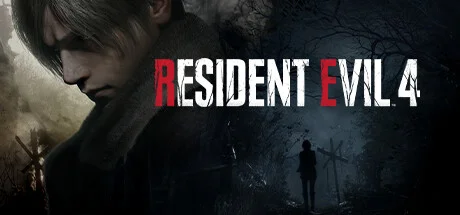
About Resident Evil 4
This browser version runs the European PS2 release in English on a recompiled engine. You control Leon S. Kennedy as he heads into a rural European village to rescue the president's daughter, moving, aiming and shooting as enemies attack. Only the opening of chapter 1 has been tested so far.
How to play
- Click inside the game image, then use the arrow keys to move and A, W, S and D for the square, triangle, cross and circle buttons; Enter is Start.
- At the title screen press Start, choose a language and difficulty, then follow the opening into the first area of chapter 1.
- Aim and fire at the attacking villagers using the action buttons as you make your way through the area.
Click inside the game image, then use the arrow keys to move and A, W, S and D for the square, triangle, cross and circle buttons; Enter is Start. At the title screen press Start, choose a language and difficulty, then follow the opening into the first area of chapter 1. Aim and fire at the attacking villagers using the action buttons as you make your way through the area.
Provided by Capcom (2005) · Browser version / host: Slayoner. Licence / source Game / browser-port project ↗
KEEP PLAYING
All 523 games →