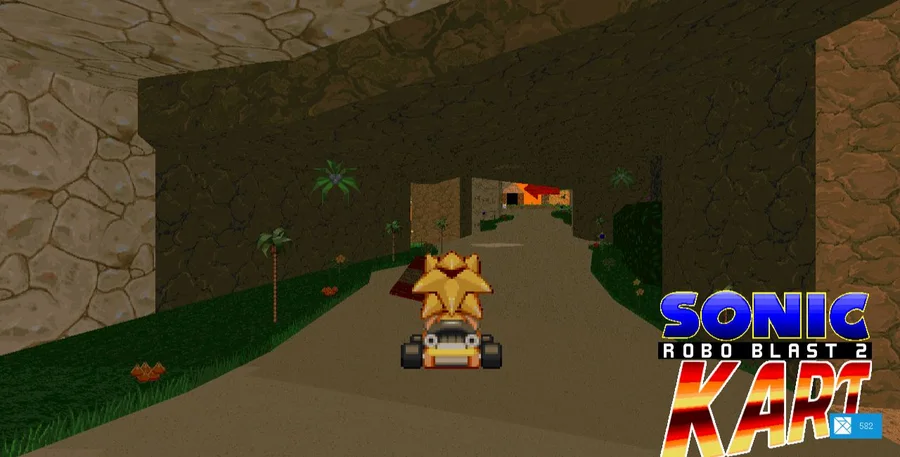
Sonic Robo Blast 2 Kart
First launch downloads approximately 500 MB. Desktop controls are recommended.
OPEN GAME WEBSITE ↗Choose Play now to load the game.
QUICK CONTROLS
- Left/right arrows steer; A accelerates and S brakes.
- Space uses an item.
- Arrow keys navigate, Enter confirms, and Escape returns or opens the pause/menu screen.
- The launcher's Help button displays this browser build's controls.
PLAYING HERE
Click inside the game to focus its controls. Use theater or fullscreen mode for more room.
First launch downloads approximately 500 MB. Desktop controls are recommended.
Full playing guide ↓THE GAME
About Sonic Robo Blast 2 Kart
A community kart racer with colorful tracks, drifting and item-based racing. This is a Sonic fan project, and the browser build has its own compatibility limits. Set up the controls before racing so acceleration, steering and drifting are easy to reach.
How to play
- Select Start in the browser launcher only when you are ready for its approximately 500 MB data download. Let the download finish before trying the game menus.
- Use the arrow keys and Enter to work through the game's menu and choose a playable mode. Check Help if you need the browser-specific bindings.
- On a track, hold A to accelerate and use left/right to steer. Begin by keeping the kart on the road instead of trying every item at once.
- Use Space when you have an item. Press Escape to pause or return to the menu when you need to change the setup.
Wait for the browser build to finish downloading and open its main menu. Use the game’s control setup to bind acceleration, steering, drift and items. Choose a playable local mode and a track, then follow the course and its checkpoints. Brake and drift before tight turns. Menu options and online modes depend on this particular web build.
This is skyleite's SRB2Kart WebAssembly build; its browser launcher identifies the game as v1.6. SRB2Kart is a Kart Krew fan project based on Sonic Robo Blast 2, not an official SEGA release.
A large first download
The port itself warns that Start downloads approximately 500 MB. The launcher displays downloading progress separately from the running state. A loaded web page is therefore not the same as a loaded race.
Use a desktop browser with a keyboard and enough memory. If downloading fails, check the connection and available memory before retrying. Do not repeatedly restart while the progress indicator is still moving.
Browser port and desktop game
The browser launcher offers Fullscreen, Help and an Addon Manager after starting. The presence of those controls does not establish that every desktop add-on, multiplayer server or controller works in this port.
Kart Krew states that the project is not affiliated with SEGA or Sonic Team. This page links the browser-port project for the exact build rather than presenting the fan project as an official Sonic game.
Guide notes & sources
Launcher HTML and shipped JavaScript reviewed on 2026-11-02: v1.6 title, approximately 500 MB warning and Help mappings confirmed in source. A newly completed asset download, race start, finish, multiplayer or add-on test is not claimed.
Guide checked .
Provided by Kart Krew · browser build by skyleite. Licence / source Browser port project ↗
KEEP PLAYING
All 523 games →