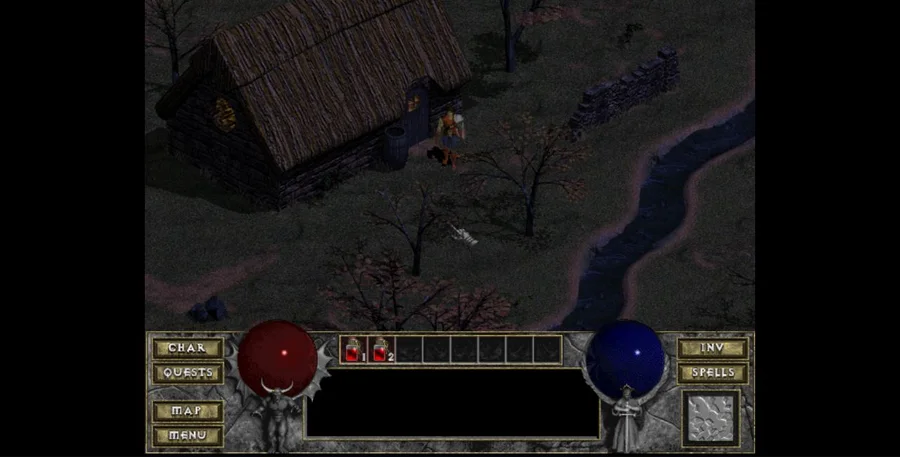
Choose Play now to load the game.
QUICK CONTROLS
- Choose the shareware option on the project’s opening screen, or select your own licensed game data.
- Create a character and enter the dungeon from Tristram.
- Click the ground to move, click an enemy to attack and click dropped equipment to pick it up.
PLAYING HERE
Click inside the game to focus its controls. Use theater or fullscreen mode for more room.
Free shareware episode. The full game requires your own licensed DIABDAT.MPQ.
Full playing guide ↓THE GAME
About Diablo — Shareware
Descend beneath Tristram in the original action role-playing game. Click to move, fight enemies, collect equipment and return to town for supplies. The browser project offers a limited shareware route; the full game requires your own licensed DIABDAT.MPQ file.
How to play
- Choose the shareware option on the project’s opening screen, or select your own licensed game data.
- Create a character and enter the dungeon from Tristram.
- Click the ground to move, click an enemy to attack and click dropped equipment to pick it up.
- Watch health and inventory space. Use the in-game help for spell and potion shortcuts.
Choose the shareware option on the project’s opening screen, or select your own licensed game data. Create a character and enter the dungeon from Tristram. Click the ground to move, click an enemy to attack and click dropped equipment to pick it up. Watch health and inventory space. Use the in-game help for spell and potion shortcuts.
Versions & related titles
Choose another browser version or a title from this collection. These links open the named project pages.
- Diablo — Shareware · existing browser version ↗d07riv.github.io/diabloweb/
- Diablo ↗devilutionx.app/
Provided by Blizzard Entertainment · DiabloWeb by d07RiV. Licence / source Browser port project ↗
KEEP PLAYING
All 523 games →