Choose Play now to load the game.
QUICK CONTROLS
- Obtain the Daggerfall game files from Steam, GOG or Bethesda's DaggerfallGameFiles.zip, then press Play on the project page and select your ARENA2 folder (under DF/DAGGER/ARENA2 for Steam); you can also drop the folder onto the page or supply the zip on a phone.
- Move with WASD and the mouse, open the pack with F6, quick save and load with F9 and F11, and press Esc for the remaining menus; all bindings can be changed in Settings.
- Complete quests and develop your character through combat, magic and reputation as you explore towns, dungeons and the wider world.
PLAYING HERE
Click inside the game to focus its controls. Use theater or fullscreen mode for more room.
Requires your own copy of The Elder Scrolls II: Daggerfall data files and a current browser with WebGL2; classic and Daggerfall Unity saves cannot be imported yet and there is no mod support.
Full playing guide ↓THE GAME
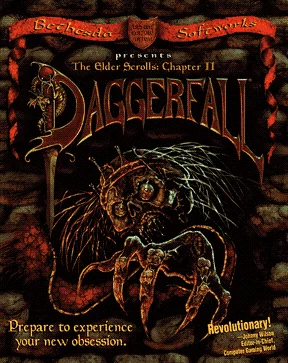
About The Elder Scrolls II: Daggerfall
You begin in Privateer's Hold and explore Tamriel's Iliac Bay region, completing quests and developing a character through combat, magic and reputation. The project reimplements the 1996 RPG on a WebGL2 renderer using your own game files.
How to play
- Obtain the Daggerfall game files from Steam, GOG or Bethesda's DaggerfallGameFiles.zip, then press Play on the project page and select your ARENA2 folder (under DF/DAGGER/ARENA2 for Steam); you can also drop the folder onto the page or supply the zip on a phone.
- Move with WASD and the mouse, open the pack with F6, quick save and load with F9 and F11, and press Esc for the remaining menus; all bindings can be changed in Settings.
- Complete quests and develop your character through combat, magic and reputation as you explore towns, dungeons and the wider world.
Obtain the Daggerfall game files from Steam, GOG or Bethesda's DaggerfallGameFiles.zip, then press Play on the project page and select your ARENA2 folder (under DF/DAGGER/ARENA2 for Steam); you can also drop the folder onto the page or supply the zip on a phone. Move with WASD and the mouse, open the pack with F6, quick save and load with F9 and F11, and press Esc for the remaining menus; all bindings can be changed in Settings. Complete quests and develop your character through combat, magic and reputation as you explore towns, dungeons and the wider world.
Provided by Bethesda Softworks (1996) · Browser version / host: Lattymoy. Licence / source Game / browser-port project ↗
KEEP PLAYING
All 523 games →