Read the controls below, then open the game website.
QUICK CONTROLS
- Open the official site and choose Load web version if its Steam promotion appears.
- Select a level and read the character-specific controls.
- Use Up and Down to accelerate or reverse, and Left and Right to lean and balance.
PLAYING HERE
This game opens on its creator or browser-port website.
Full playing guide ↓THE GAME
About Happy Wheels
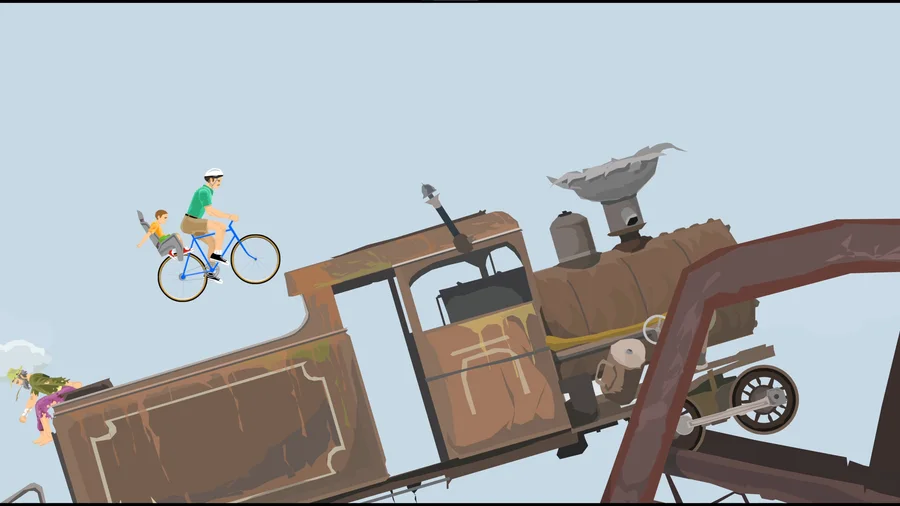
Guide fragile riders and improbable vehicles through physics obstacle courses. Acceleration and balance are separate problems: surviving a jump is often harder than reaching it. The creator reserves the full web version for Totaljerkface, so this entry opens that official site.
How to play
- Open the official site and choose Load web version if its Steam promotion appears.
- Select a level and read the character-specific controls.
- Use Up and Down to accelerate or reverse, and Left and Right to lean and balance.
- Space, Shift and Control have character-specific actions. Restart after a crash to try a safer approach.
Open the official site and choose Load web version if its Steam promotion appears. Select a level and read the character-specific controls. Use Up and Down to accelerate or reverse, and Left and Right to lean and balance. Space, Shift and Control have character-specific actions. Restart after a crash to try a safer approach.
Provided by Fancy Force. Licence / source Creator’s game page ↗
KEEP PLAYING
All 523 games →Find your next game

DOOM — Shareware
Shooting
Taiko no Tatsujin
Arcade ▶Game website ↗
Friday Night Funkin’
Arcade
Sonic Robo Blast 2 Kart
Racing ▶Game website ↗