Choose Play now to load the game.
QUICK CONTROLS
- Choose Singleplayer, then pick Course Play to begin from floor 1 or Practice to select any stage and repeat it.
- Tilt the stage with WASD or the arrow keys to roll toward the goal, and collect bananas along the way without falling off.
- Press R to restart the current stage or N to skip it.
PLAYING HERE
Click inside the game to focus its controls. Use theater or fullscreen mode for more room.
A controller is optional; if one is plugged in, it should work.
Full playing guide ↓THE GAME
About Super Monkey Ball
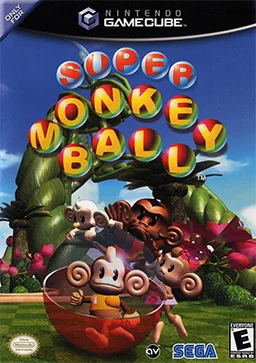
Monkey Ball Online is a browser port that gathers stages from Super Monkey Ball and Super Monkey Ball 2. You tilt the course to steer a balled-up monkey toward the goal before time expires, while narrow ledges, moving platforms and slopes test your momentum control.
How to play
- Choose Singleplayer, then pick Course Play to begin from floor 1 or Practice to select any stage and repeat it.
- Tilt the stage with WASD or the arrow keys to roll toward the goal, and collect bananas along the way without falling off.
- Press R to restart the current stage or N to skip it.
- For multiplayer, join a public lobby or create a private room and share the room code with friends.
Choose Singleplayer, then pick Course Play to begin from floor 1 or Practice to select any stage and repeat it. Tilt the stage with WASD or the arrow keys to roll toward the goal, and collect bananas along the way without falling off. Press R to restart the current stage or N to skip it. For multiplayer, join a public lobby or create a private room and share the room code with friends.
Provided by Amusement Vision (2001) · Browser version / host: TwilightPB. Licence / source Game / browser-port project ↗
KEEP PLAYING
All 523 games →