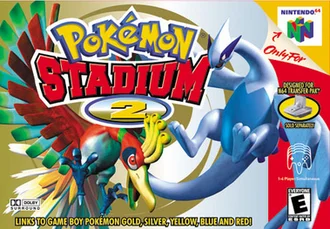
Read the controls below, then open the game website.
QUICK CONTROLS
- Supply your own US ROM on your first visit; the page keeps it in your browser.
- Choose Battle Now! to play 3D battles; the keyboard maps X to A, Z to B, Enter to Start, the arrow keys to the D-pad and WASD to the stick.
- Note that online two-player battles are still in progress, and the Gym Leader Castle, mini games and GB Tower have not been tested.
PLAYING HERE
This game opens on its creator or browser-port website.
Work in progress. Requires your own US ROM and Chrome or Edge on a desktop computer.
Full playing guide ↓THE GAME
About Pokémon Stadium 2
This is azelf420's work-in-progress browser port of Pokémon Stadium 2, which translates your own ROM into WebAssembly. It currently boots to the title screen and menus and runs Battle Now! with 3D battles at about 30 fps with sound.
How to play
- Supply your own US ROM on your first visit; the page keeps it in your browser.
- Choose Battle Now! to play 3D battles; the keyboard maps X to A, Z to B, Enter to Start, the arrow keys to the D-pad and WASD to the stick.
- Note that online two-player battles are still in progress, and the Gym Leader Castle, mini games and GB Tower have not been tested.
Supply your own US ROM on your first visit; the page keeps it in your browser. Choose Battle Now! to play 3D battles; the keyboard maps X to A, Z to B, Enter to Start, the arrow keys to the D-pad and WASD to the stick. Note that online two-player battles are still in progress, and the Gym Leader Castle, mini games and GB Tower have not been tested.
Provided by Nintendo (2001) · Browser version / host: azelf420. Licence / source Game / browser-port project ↗
KEEP PLAYING
All 523 games →