
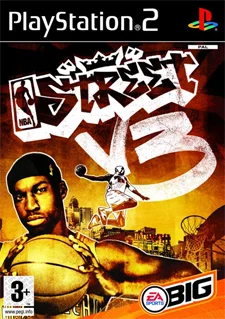
Choose Play now to load the game.
QUICK CONTROLS
- Wait for the game to download, then press the Jugar (Play) button; refresh the page if it fails to start after the initial load.
- Move with the arrow keys or WASD and use Z, X, C, V, Q, E, 1 and 3 for the action buttons, with Enter for Start.
- Use the settings to pick a resolution from native up to 4x, toggle HD textures, adjust sound buffering or enable online play.
PLAYING HERE
Click inside the game to focus its controls. Use theater or fullscreen mode for more room.
The page does not ask for a disc image or any game files, and the project describes its browser version as experimental.
Full playing guide ↓THE GAME
About NBA Street V3
This browser build recompiles the PlayStation 2 code of EA Canada's streetball game to WebAssembly and renders it with WebGL2. You play three-on-three arcade basketball on courts such as Venice Beach and Rucker Park, chaining tricks and finishing with Gamebreaker dunks.
How to play
- Wait for the game to download, then press the Jugar (Play) button; refresh the page if it fails to start after the initial load.
- Move with the arrow keys or WASD and use Z, X, C, V, Q, E, 1 and 3 for the action buttons, with Enter for Start.
- Use the settings to pick a resolution from native up to 4x, toggle HD textures, adjust sound buffering or enable online play.
Wait for the game to download, then press the Jugar (Play) button; refresh the page if it fails to start after the initial load. Move with the arrow keys or WASD and use Z, X, C, V, Q, E, 1 and 3 for the action buttons, with Enter for Start. Use the settings to pick a resolution from native up to 4x, toggle HD textures, adjust sound buffering or enable online play.
Provided by EA Canada (2005) · Browser version / host: recomp-code. Licence / source Game / browser-port project ↗
KEEP PLAYING
All 523 games →Find your next game

DOOM — Shareware
Shooting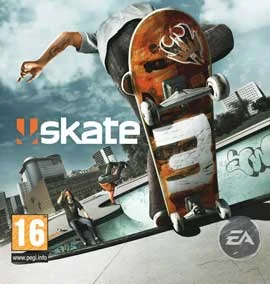
Skate 3
Sports
Pro Evolution Soccer 6
Sports
Neverball
Arcade
Toasterball
Sports ▶Game website ↗
