Read the controls below, then open the game website.
QUICK CONTROLS
- On startup, choose single-player or multiplayer.
- In multiplayer, join quickly or create a private room, enter a nickname, and pick a character and a map.
- Play either by collecting stars to unlock stages or with everything unlocked from the start.
PLAYING HERE
This game opens on its creator or browser-port website.
Matches run on a central server rather than one player hosting, and voice and video chat are optional.
Full playing guide ↓THE GAME
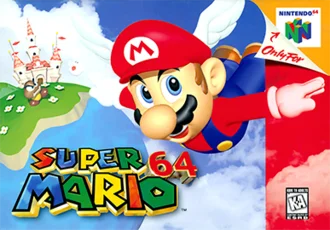
About Mario 64
Oliver Sauter's browser version of Super Mario 64 is built on the sm64ex PC port and the sm64coopdx co-op mod. On startup you choose single-player or multiplayer, where up to 12 players run through the same world.
How to play
- On startup, choose single-player or multiplayer.
- In multiplayer, join quickly or create a private room, enter a nickname, and pick a character and a map.
- Play either by collecting stars to unlock stages or with everything unlocked from the start.
- Press T to chat as a text player, and remap keys as needed.
On startup, choose single-player or multiplayer. In multiplayer, join quickly or create a private room, enter a nickname, and pick a character and a map. Play either by collecting stars to unlock stages or with everything unlocked from the start. Press T to chat as a text player, and remap keys as needed.
Versions & related titles
Choose another browser version or a title from this collection. These links open the named project pages.
- Mario 64 · Oliver Sauter ↗olivers.tools/play
- Super Mario 64 · ArkShocer ↗heyitsheart.github.io/sm3das/64/
Provided by Nintendo Entertainment Analysis & Development (1996) · Browser version / host: Oliver Sauter. Licence / source Game / browser-port project ↗
KEEP PLAYING
All 523 games →